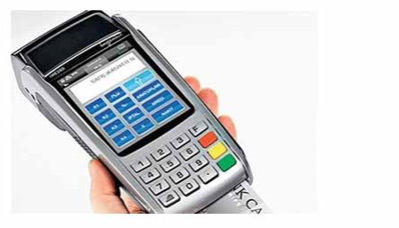
A batch close performed on a POS terminal triggers reconciliation between all transaction records under that batch number and the bank's system, and initiates the transfer of funds to the merchant's account.
After a batch close is performed on the POS, the batch number increases by 1. New transactions are recorded under the new batch number. Transactions under the new batch become ready for transfer to the merchant's account once another batch close is performed on the POS.
In short, more than one batch close can be performed on a POS terminal within the same day.
What is a batch number?
A POS device groups the transactions it processes together. Each group is assigned a batch number. When a batch close is performed, the POS sends the bank's system the count and total amount of the transactions under that batch. The bank then compares this information against its own records. If the records match, the batch closes and new transactions start being collected under the next batch number.
Why does a batch close matter?
- The transfer of the merchant's transaction amounts to its account is triggered by the batch close. If the batch close isn't performed, payments can be delayed.
- If there are any offline transactions, they are transmitted to the bank during the batch close.
- The batch close report lets the merchant compare its sales for the day against the bank's records.
What happens if the records don't match?
If the totals on the POS don't match the bank's records, the POS sends the transactions to the bank one by one so that missing or extra records can be identified. This process is called a "batch upload." If the issue still can't be resolved, the merchant needs to contact its bank.
Automatic batch close
Many banks have the POS automatically perform a batch close at a set time even if the merchant forgets to do it manually. Performing more than one batch close within a day doesn't cause any technical issue.