
Skip to content

Search

"AFL"

3 articles found

Diagram illustrating the structure of the AFL (Application File Locator) field on an EMV card

Merchant & POS

What is AFL (Application File Locator)?

AFL (Application File Locator) is the field that shows where on the card the data needed for the authorization transaction is located. AFL is a list of the application data records on the card, and the terminal uses it to read the application data.
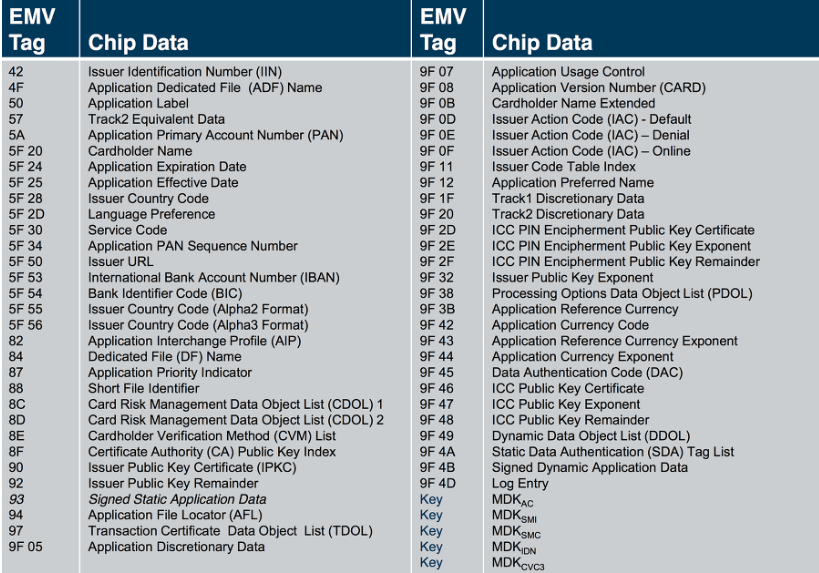

Diagram illustrating the EMV Tag-Length-Value (TLV) data structure used in card transactions

Online & Authorization

What are EMV Tags?

In EMV, data is stored in Tag-Length-Value (TLV) format, and it is carried between the card, the POS terminal, and the authorization system in this same format. This post lists every EMV Tag, its type, and its description.

Processing Options Data Object List (PDOL) diagram

Merchant & POS

Processing Options Data Object List (PDOL)

Contains the terminal-resident data objects (tags and lengths) that the ICC needs when processing the GET PROCESSING OPTIONS command. In short, it is the list of information the card requests from the terminal before starting the transaction.