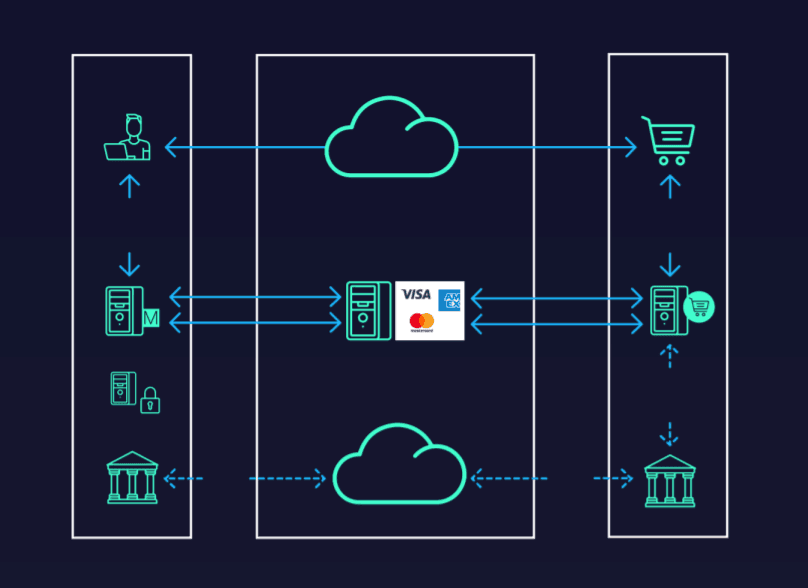
Especially with the growth of the internet, credit card transactions have started shifting from physical POS terminals to virtual POS terminals. In virtual transactions, the 3D Secure (three-dimensional security) structure is used instead of the card PIN entered in physical transactions.
So, have you ever wondered how it is decided whether a transaction will be 3D Secure, Half 3D Secure, or will take place without 3D Secure?
3D Secure verification message types
VEReq (Verify Enrollment Request): The request as to whether the cardholder is enrolled in 3D Secure (Cardholder enrollment)
VERes (Verify Enrollment Response): The response as to whether the cardholder is enrolled in 3D Secure
PAReq (Payer Authentication Request): The message generated by the MPI to perform cardholder authentication.
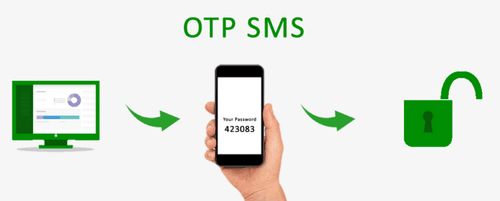
PARes (Payer Authentication Response): The value showing the result of cardholder authentication. (This is the step in which the 3D Secure SMS is sent to the cardholder and verified by entering the SMS content.)
How do the verification messages work?
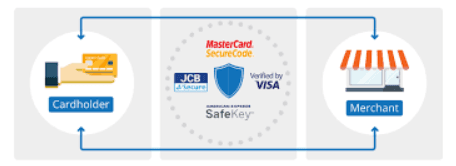
The VEReq and VERes message pair are verified at the Visa / Mastercard Directory Server, and indicate whether the cardholder entered is enrolled in 3D Secure.
If the card is verified as enrolled in 3-D Secure, a second message pair (PAReq and PARes) is forwarded. It is sent to the card-issuing bank for cardholder authentication, and the PARes message contains the verification result.
3D Secure, half 3D Secure, and non-3D Secure transactions
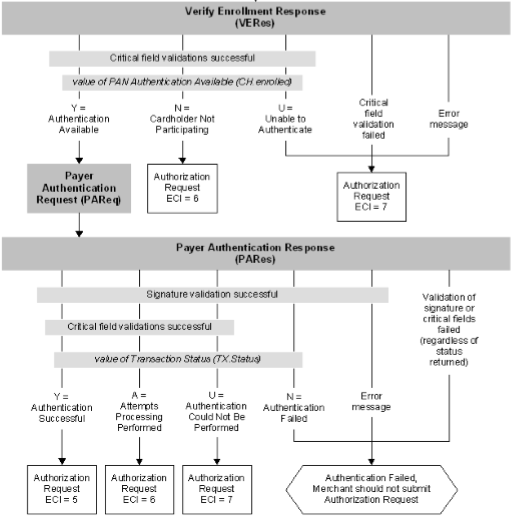
Let's explain 3D Secure, Half 3D Secure, and non-3D Secure transactions based on the Visa VERes, PARes, and ECI (Electronic Commerce Indicator) codes:
| VERes | Description | PARes | Description | 3D/Half 3D/Non 3D | ECI |
| Y | Authentication Available | Y | Authentication Successful | 3D Secure | 5 |
| Y | Authentication Available | A | Attempts Processing Performed | Half 3D | 6 |
| Y | Authentication Available | U | Authentication Could Not Be Performed | Non 3D | 7 |
| Y | Authentication Available | N | Authentication Failed, Merchant should not submit Auth Request | Non 3D | 7 |
| Error Message | Non 3D | 7 | |||
| Validation Of signature or critical fields failed | Non 3D | 7 | |||
| N | Cardholder Not Participating | Half 3D | 6 | ||
| U | Non 3D | 7 | |||
| Critical Field Validation Failed | Non 3D | 7 | |||
| Error Message | Non 3D | 7 |
In the VERes message generated as a result of the VEReq message;
- If the VERes value comes back as something other than Y or N, it is considered a non-3D Secure transaction (ECI=7).
- If the VERes value is N, it is considered a Half 3D Secure transaction.
- If the VERes value is Y;
- The PAReq message is sent. The PARes value generated as the response to the PAReq message;
- If the PARes value is Y; it is a 3D Secure transaction
- If the PARes value is A; it is a Half 3D Secure transaction
- If the PARes value is U; it is considered a non-3D Secure transaction.
- If the PARes value is N, erroneous, or signature validation fails, the transaction should not be included in the authorization flow by the merchant.
- The PAReq message is sent. The PARes value generated as the response to the PAReq message;
ECI values corresponding to VERes, PAReq, and PARes values
Below are the VERes, PAReq, and PARes values and the ECI values corresponding to them: