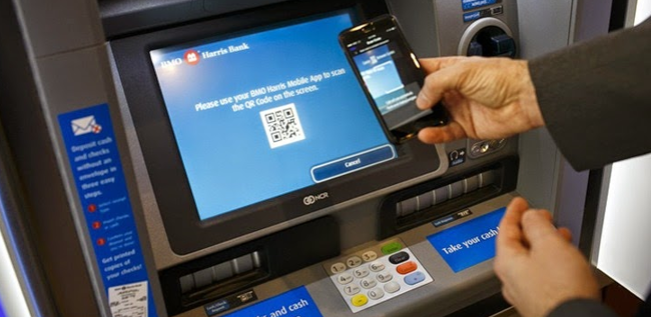
Nowadays, many transactions can be carried out using mobile phones, which mediate a wide range of operations. Depositing money with a QR code is one such transaction:
Although the flow for depositing money into an account using a QR code varies from bank to bank, it is roughly as follows:
- After logging into the bank's mobile app, the "Deposit Money" button on the home screen is pressed.
- The "Select account" field is tapped, and the account you want to deposit into is selected from the account tab.
- By tapping the "Deposit Money" tab, the amount to be deposited is entered.
- To deposit money instantly without touching the ATM, the "I want to make a quick transaction; let the money I deposit go directly into my account at the ATM without requiring confirmation" option must be turned on.
- The QR code on the ATM is scanned with the camera that opens on the mobile banking screen, and the money is placed in the deposit slot.
- The deposited money is instantly transferred to the selected account.
The advantage of depositing with QR
The transaction is faster because the steps of inserting a card, entering a PIN, and navigating menus are shortened. When the customer starts the transaction on their phone and scans the code on the ATM, the ATM knows which account the money will be deposited into.
This method also reduces the risk of card skimming. Since banks verify the user within the mobile app, an additional layer of security is also created.
This method does not work on ATMs whose devices lack QR-reading support; therefore, the app shows which ATMs are supported.