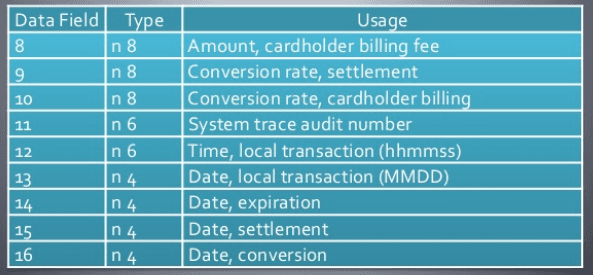
F14—DATE, EXPIRATION DATE: This is the expiration date printed on the card by the issuing bank. It is a 4-digit, numeric value kept in YYMM format.
How is the expiration date checked?
The issuing bank compares the expiration date received in F14 with the card record in its own system. If the date does not match, or if the card has expired, the transaction is declined. Response code 54 (Expired Card) is generally used for expired cards, while different decline codes may be used for a date mismatch depending on the bank's preference.
Pay attention to the YYMM format
The expiration date printed on the card is usually in MM/YY format, meaning month first, then year. In the ISO 8583 message, however, the F14 field is in YYMM format, meaning year first, then month. For example, if the card shows 08/27, the value sent in field F14 is 2708. Overlooking this difference is one of the common mistakes encountered in integrations.
Until the end of which month is the card's expiration date valid?
The card is valid until the last day of the month printed on it. For example, a card with an expiration date of 08/27 can be used until the last day of August 2027.
Is F14 sent in every transaction?
Whether F14 is sent depends on the type of transaction. In manually keyed and internet-based transactions, the cardholder enters the expiration date themselves, so it is sent in the F14 field. In transactions where the card is read from the magnetic stripe or chip, the expiration date is already included in the Track 2 data, so F14 may not be sent separately.