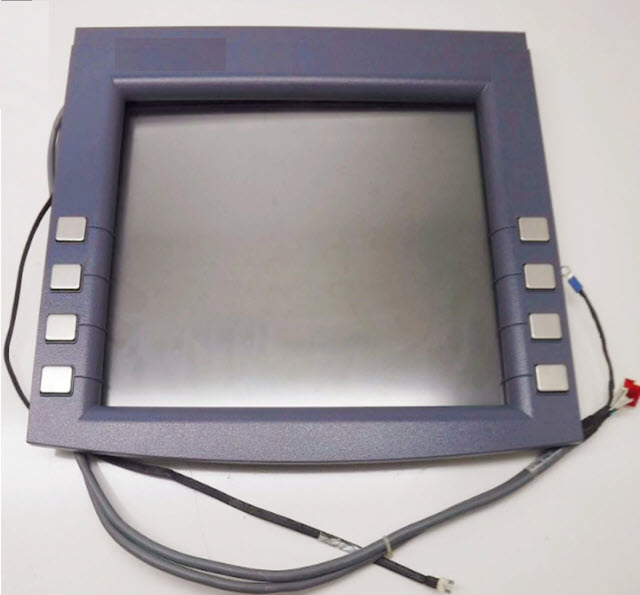
When performing transactions at ATMs, the selection and processing of the transaction is carried out using the buttons located on the right and left sides of the ATM screen. These buttons on the ATM are called FDK (Function Display Key) buttons.
Does every ATM have FDK buttons?
FDK buttons are generally found on older model ATMs. Newer model ATMs have touch screens, so these buttons are not needed.
So what does each key mean, and how is this managed?
Each key on the ATM has a meaning and a code. Starting from the top right and moving down, the keys are labeled A, B, C, D; then starting from the top left and moving down, they are labeled E, F, G, H, and the necessary coding is done this way, allowing system monitoring and management work to be carried out.
What advantage do FDK ATMs have over touch-screen ATMs?
FDK ATMs are lower-priced compared to touch-screen ATMs. This provides banks with a purchasing advantage.
How FDK Works
The ATM software binds the option on the screen to a specific FDK code. When the customer presses the button, the ATM processes this code and initiates the corresponding transaction. The same button can carry a different meaning on different screens.
For this reason, the button-to-option mapping must be done correctly when designing the screens. On newer touch-screen ATMs, on-screen areas are used instead of physical buttons.
Button failures can be a significant issue when maintaining older devices.