The Application Unblock command removes the block placed on an application by the Application Block command, making the application usable again.
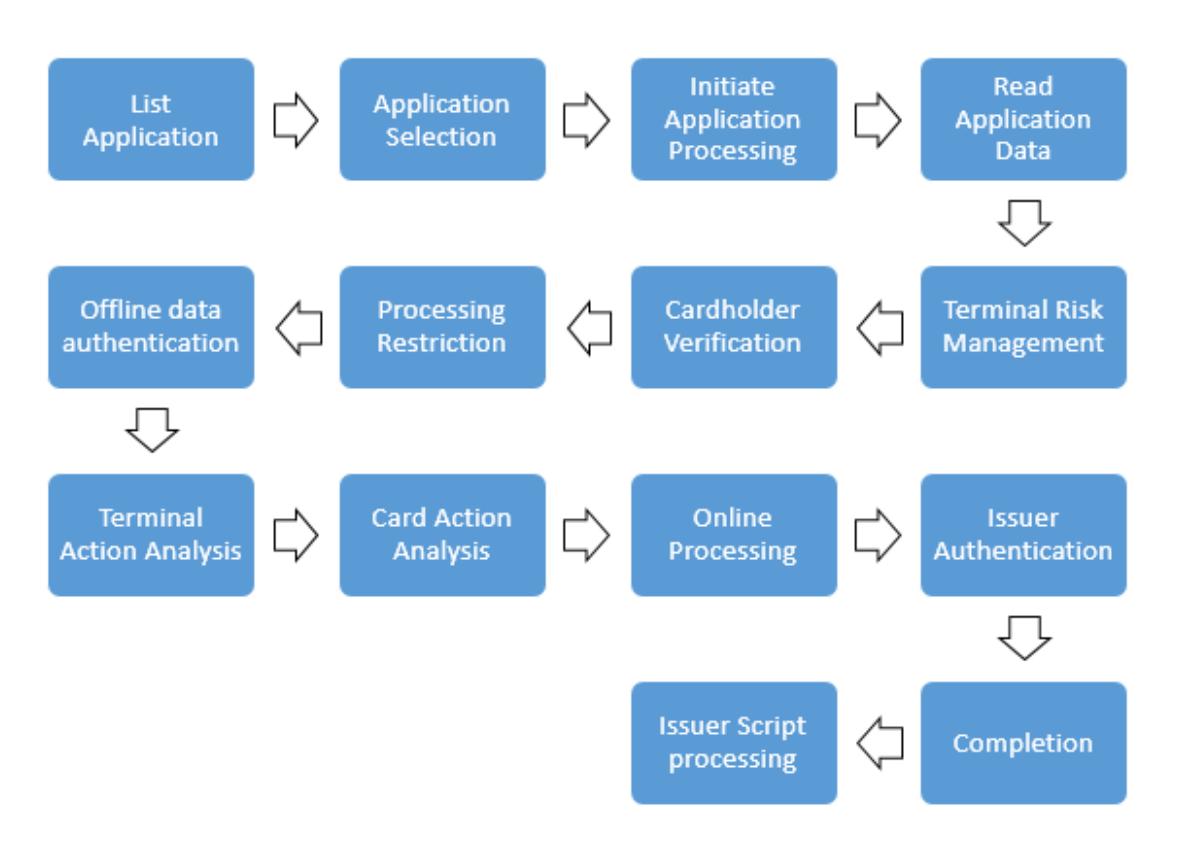
Like the Application Block command, the Application Unblock command is a command sequence managed after the card has been presented to the terminal.
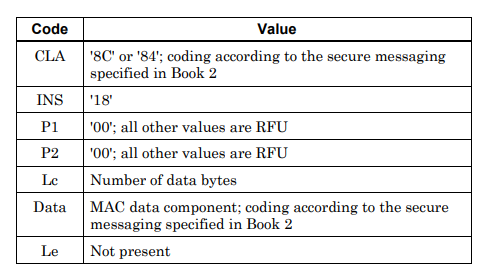
The components of the Application Unblock command are listed below:
Purpose of the command
The Application Unblock command removes a block previously placed by the Application Block command, making the application usable again. For example, if a card is blocked due to temporary suspicion, this command is used to reopen it for use once the suspicion has been cleared.
How does a blocked application reach the card?
A blocked application can still carry out an online transaction in order to reach the card-issuing bank during a transaction. While declining this transaction, the bank can include the Application Unblock command in its response message. Once the command is processed on the card, the application becomes usable again. This method lets the bank remove the block without the card needing to be replaced.
Difference from Card Block
Application Unblock is used only for applications blocked by Application Block. If the entire card has been blocked with the Card Block command, that block cannot be removed with Application Unblock.
Security
The command is sent together with a MAC calculated using the card's key. The card will not execute the command until the MAC is verified. This prevents a fake terminal from removing the block on the card.