The Card Block command is used after card issuance to deactivate all applications within the ICC.
The Card Block command will disable all applications on the ICC, including applications that could be selected indirectly.
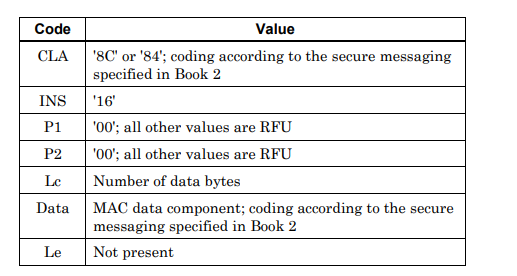
The components of the Card Block command are shown below:
Difference from Application Block
The Card Block command blocks the entire card, while the Application Block command blocks only the selected application on the card. If the card has multiple applications, Application Block disables only one application while the others continue to work. When Card Block is applied, all applications on the card become unusable.
Can it be reversed?
Card Block is a permanent action. A blocked card cannot be reactivated with a command such as Application Unblock. For this reason, this command is generally used in situations where the card must be permanently taken out of use, for example on cards suspected of fraud or reported as stolen.
How does the command reach the card?
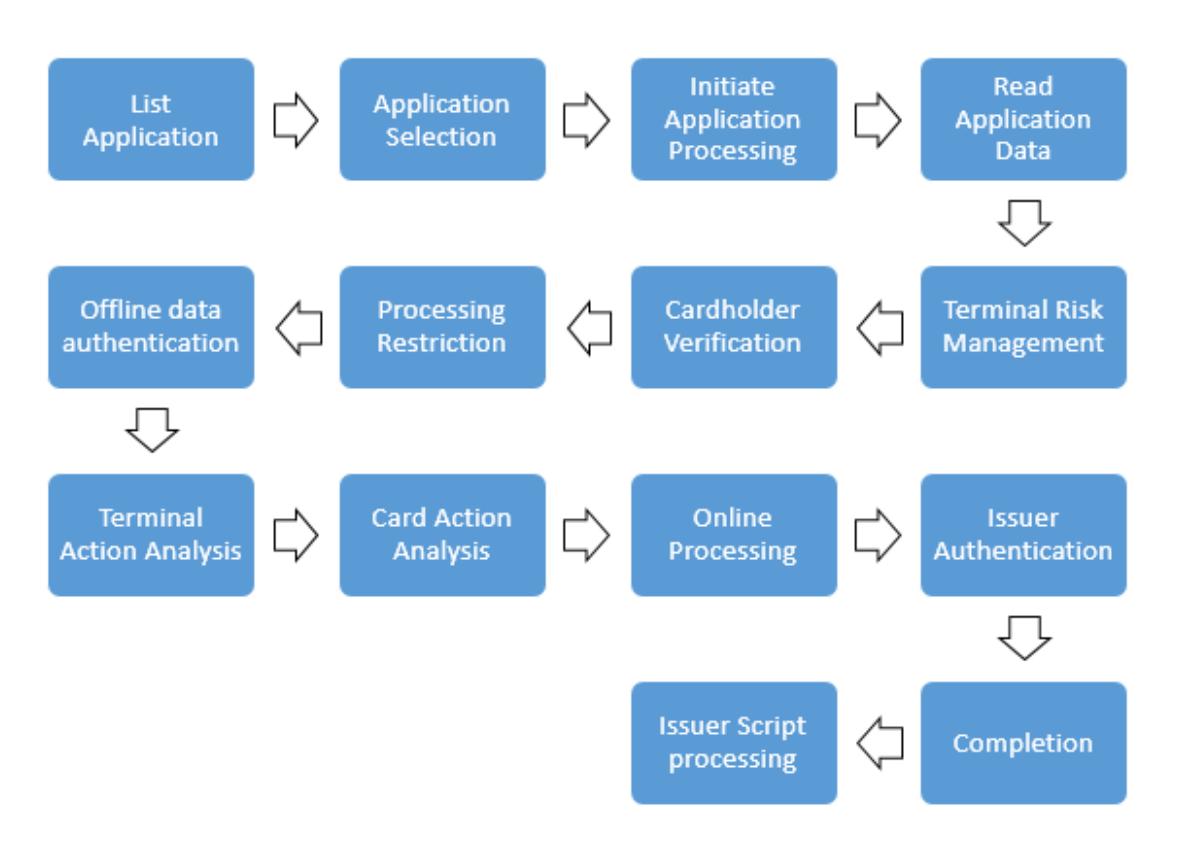
The Card Block command is sent to the card as an issuer script along with the authorization response of the card-issuing bank. For this, the card must complete an online transaction at a terminal. To ensure the command reaches the card securely, the message is protected by a MAC calculated with the card's key. The card will not execute the command without verifying the MAC.
From the cardholder's perspective
A card already closed in the bank's system is declined in online transactions anyway. Card Block additionally prevents the card from being used in offline transactions.