DFN is the abbreviation for the phrase Dedicated File Name.
It defines the name of the DF (Dedicated File), as described in ISO / IEC 7816-4.
It is the data found in Tag 84, 5-16 characters in length.
File structure on chip cards
Chip cards store their data in a file system structure. This structure contains three types of files:
- MF (Master File): the root directory of the card's file system.
- DF (Dedicated File): a directory that groups together the files belonging to an application. Payment applications are each defined as a DF.
- EF (Elementary File): the files in which data is stored.
What is DFN used for?
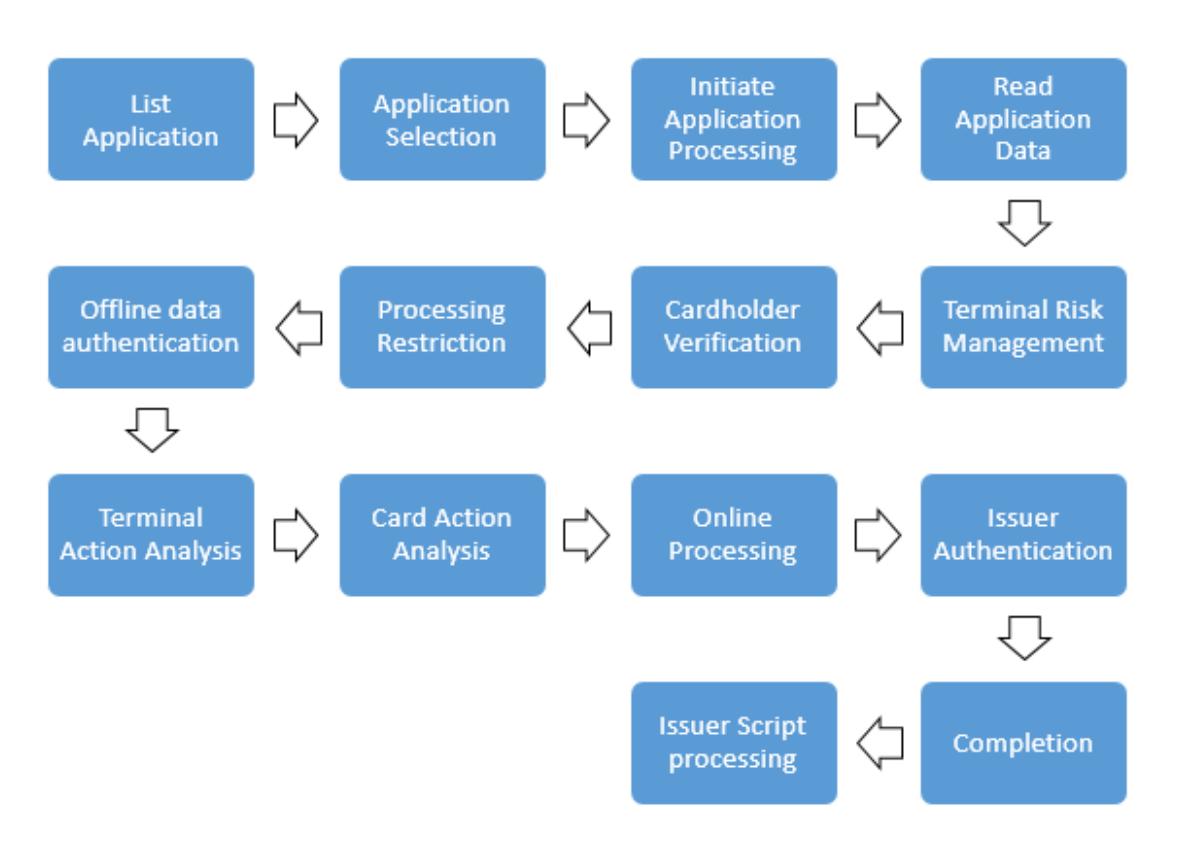
The terminal uses the SELECT command to select a payment application on the card. In its response to this command, the card returns the name of the selected application as the DFN. In payment applications, the DFN value is usually the same as the application's AID value.
Its role in application selection
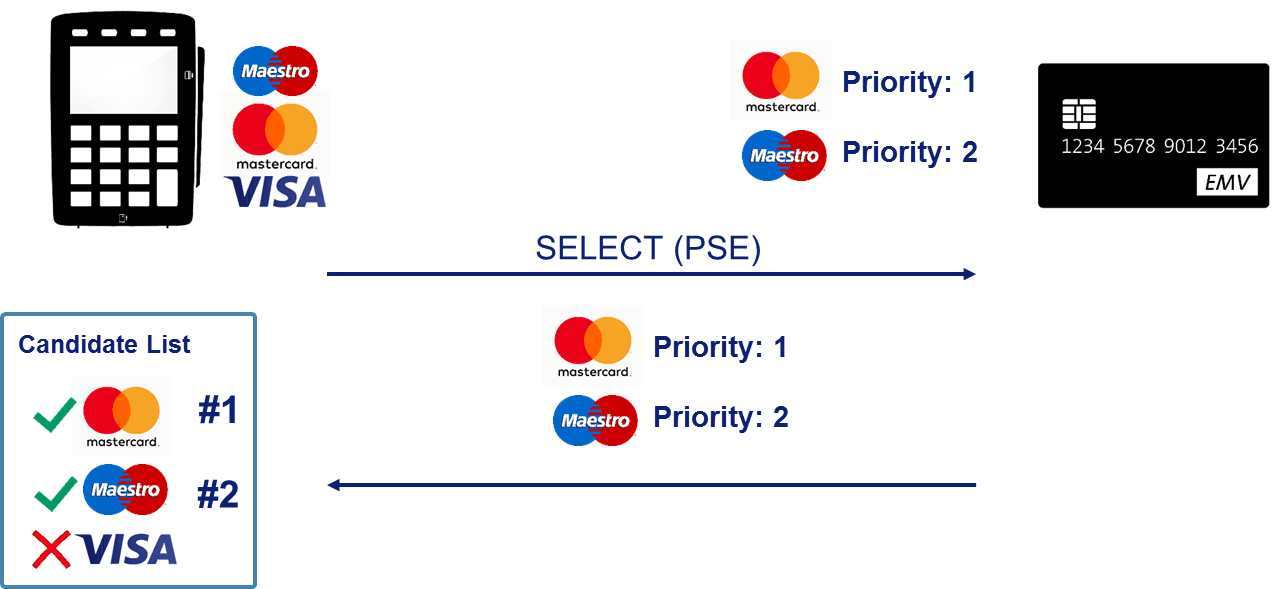
A card may contain more than one payment application. For example, a single card may carry applications belonging to both an international scheme and a local scheme. The terminal determines which application to use for the transaction by comparing the applications on the card with the applications it itself supports. DFN is used to confirm that the selected application is indeed the correct one.
PSE and PPSE
To learn the list of applications on the card, the terminal first selects a special directory. In contact transactions this directory is called PSE (Payment System Environment), and in contactless transactions it is called PPSE (Proximity Payment System Environment).