Skip to content

Search

"application selection"

39 articles found

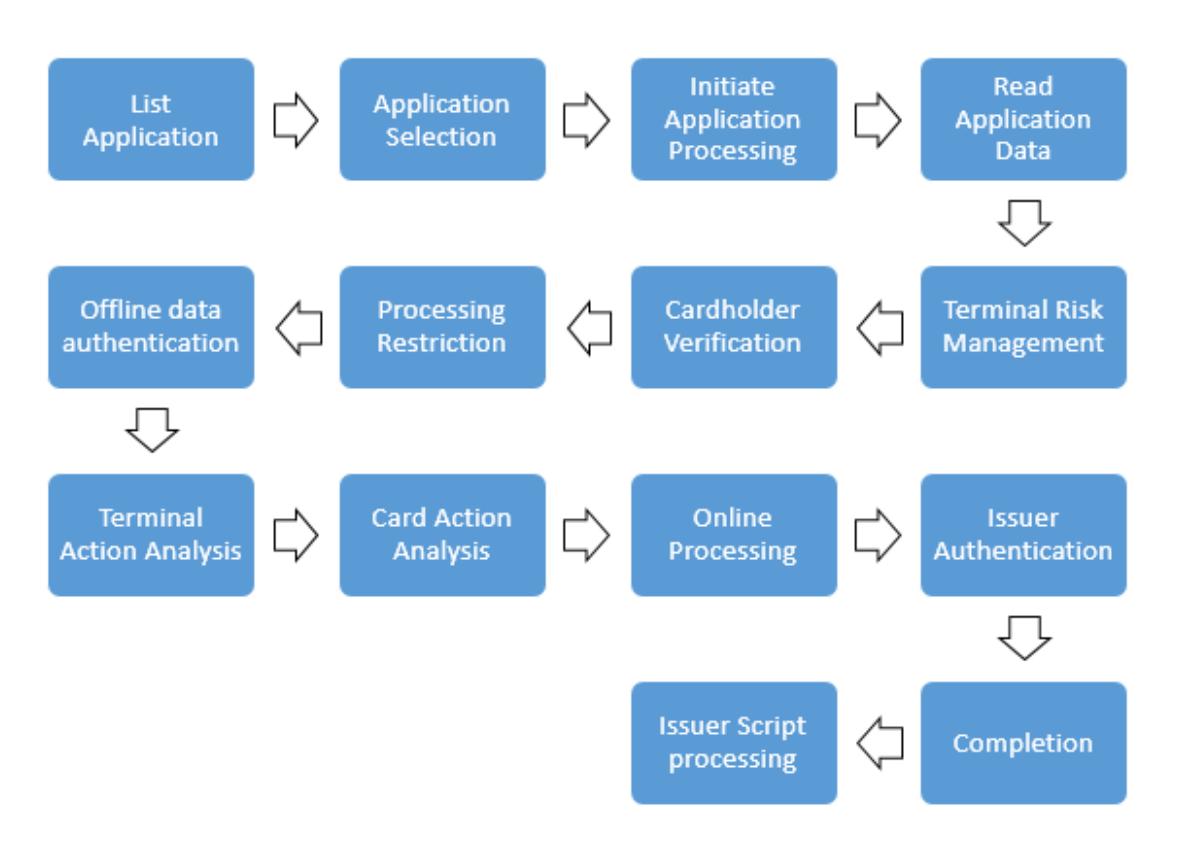
Diagram of the EMV application selection flow between the terminal and the card

Merchant & POS

EMV Chip Transaction Processing - What Is Application Selection?

In EMV transactions, Application Selection is the process of choosing among the applications supported by both the card and the terminal. It is the first stage of authorization, so it is very important. This post covers the PSE and List of AIDs methods.

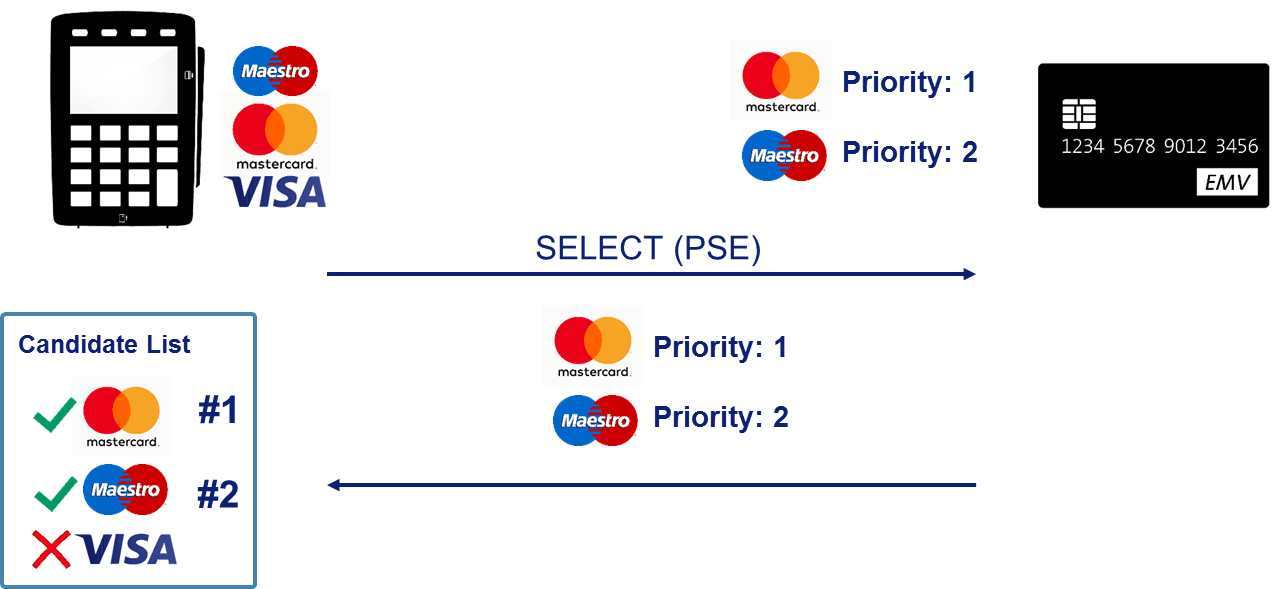
Diagram of chip card file structure showing MF, DF, and EF layers

EMV

What is Dedicated File Name (DFN)?

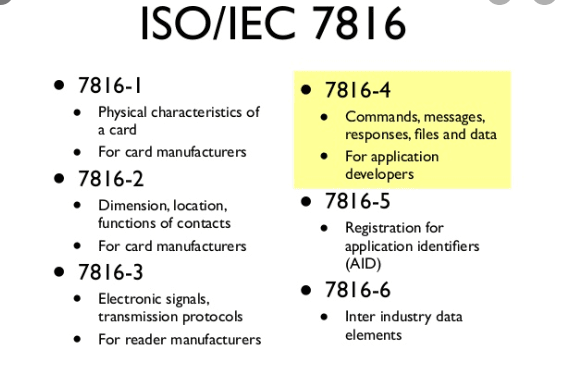
DFN is the abbreviation for Dedicated File Name. It defines the name of the DF (Dedicated File) as described in ISO/IEC 7816-4. It is the data found in Tag 84, 5 to 16 characters in length.

Diagram showing the PSE (Payment System Environment) directory used for application selection on an EMV chip card

Credit Card

What is PSE (Payment System Environment)?

PSE (Payment System Environment) is a directory on the card named 1PAY.SYS.DDF01 for a contact chip and 2PAY.SYS.DDF01 for a contactless chip. The Candidate List built via PSE is called indirect or implicit Application Selection.

Diagram of the EMV Card Block command process

EMV

What is the Card Block command?

The Card Block command is used after card issuance to deactivate all applications within the ICC, including applications that could be selected indirectly. The components of the command are explained below.

Illustration showing different card printing methods

Credit Card

What Are the Card Printing Types?

While it is true that, with technological advancement, the trend of using payment transactions without a physical card via mobile phones has increased, there are many reasons why cards are still physically printed and delivered to customers.

EMV application block command

EMV

What Is the Application Block Command?

The Application Block command is sent to invalidate the selected application on a card after the card has been issued. Unlike Card Block, it can be reversed.

Diagram of the TR QR Code payment flow between cardholder, issuer, BKM and acquirer

Payment Systems

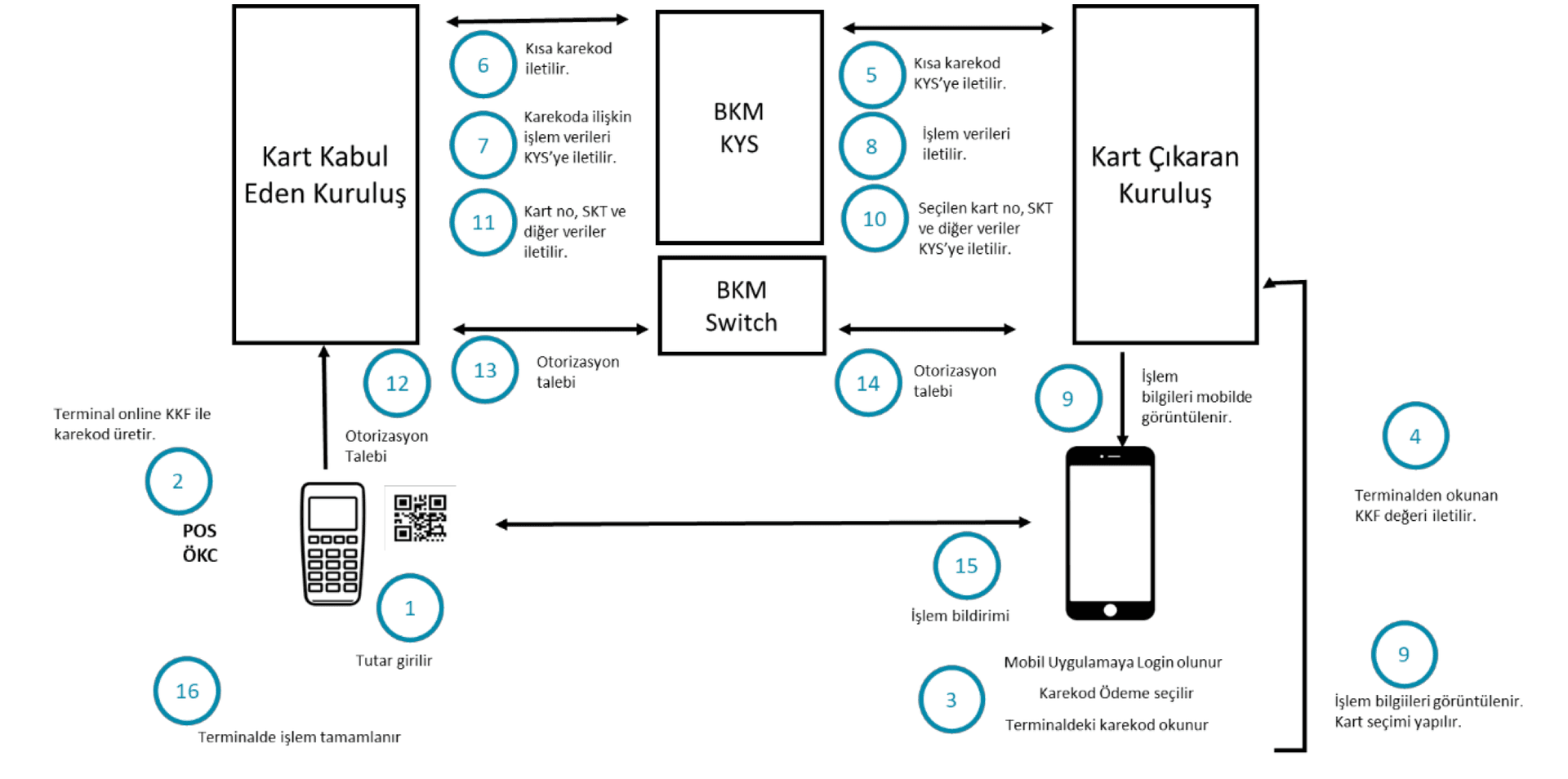
Why Am I Getting an Error When I Try to Pay with a TR QR Code?

In payment or cash withdrawal transactions, the TR QR Code is generated by the POS or ATM. The card issuing bank must build its systems to read and act on this code. Errors usually stem from mishandling the long and short QR code flows, which are explained here.

Example of a combo card showing credit card information on the front and debit card information on the back

Credit Card

What is a combo card?

A combo card is a next-generation card that combines both a credit card and a debit card on a single card. Although designs vary visually, the front typically carries the credit card information and the back the debit card information.

Processing Options Data Object List (PDOL) diagram

Merchant & POS

Processing Options Data Object List (PDOL)

Contains the terminal-resident data objects (tags and lengths) that the ICC needs when processing the GET PROCESSING OPTIONS command. In short, it is the list of information the card requests from the terminal before starting the transaction.

Diagram illustrating the EMV Tag-Length-Value (TLV) data structure used in card transactions

Online & Authorization

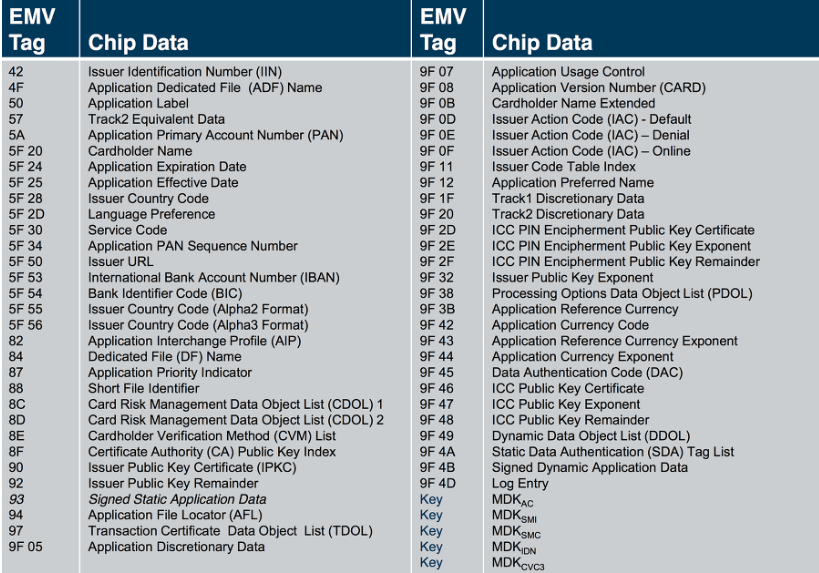
What are EMV Tags?

In EMV, data is stored in Tag-Length-Value (TLV) format, and it is carried between the card, the POS terminal, and the authorization system in this same format. This post lists every EMV Tag, its type, and its description.

ISO/IEC 7816-5 application identifier (AID) structure

Online & Authorization

What Is ISO/IEC 7816-5?

ISO/IEC 7816-5 defines how to use an application identifier to determine whether an application is present on a card and/or to retrieve the application on the card.